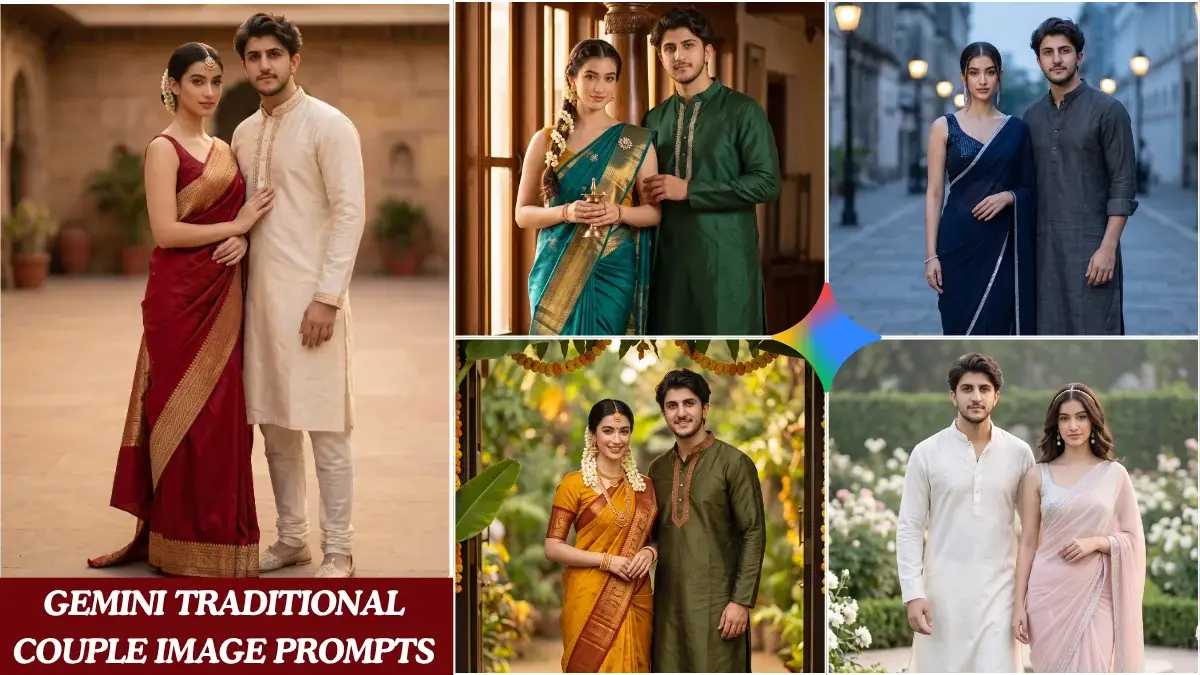
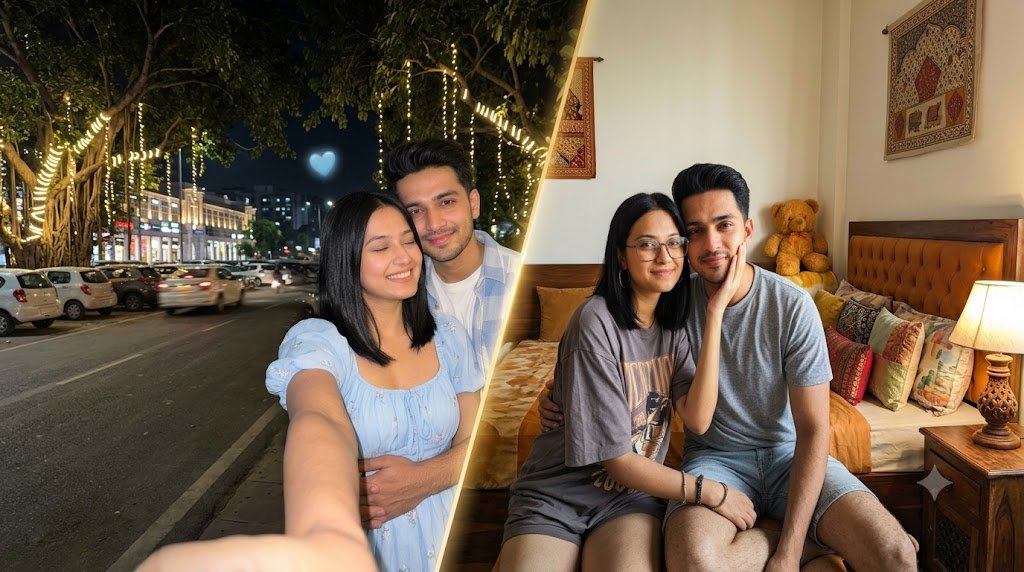
2 AI Couple Photo Prompts for Realistic and Creative Photos
Creating a realistic couple photo with AI is not only about describing two people standing together. The final result can change significantly depending on how you describe the pose, expressions, clothing, lighting, environment, and photography style.
A well-written prompt gives the image generator a clearer idea of the scene you want to create. When reference images are involved, additional instructions can also help maintain the recognizable features of the people in the photos.
This guide includes two different AI couple photo prompts. The first creates a romantic nighttime selfie, while the second is designed for a cozy black-and-white portrait using reference photos of two people.
1. Cute Couple Night Selfie Prompt
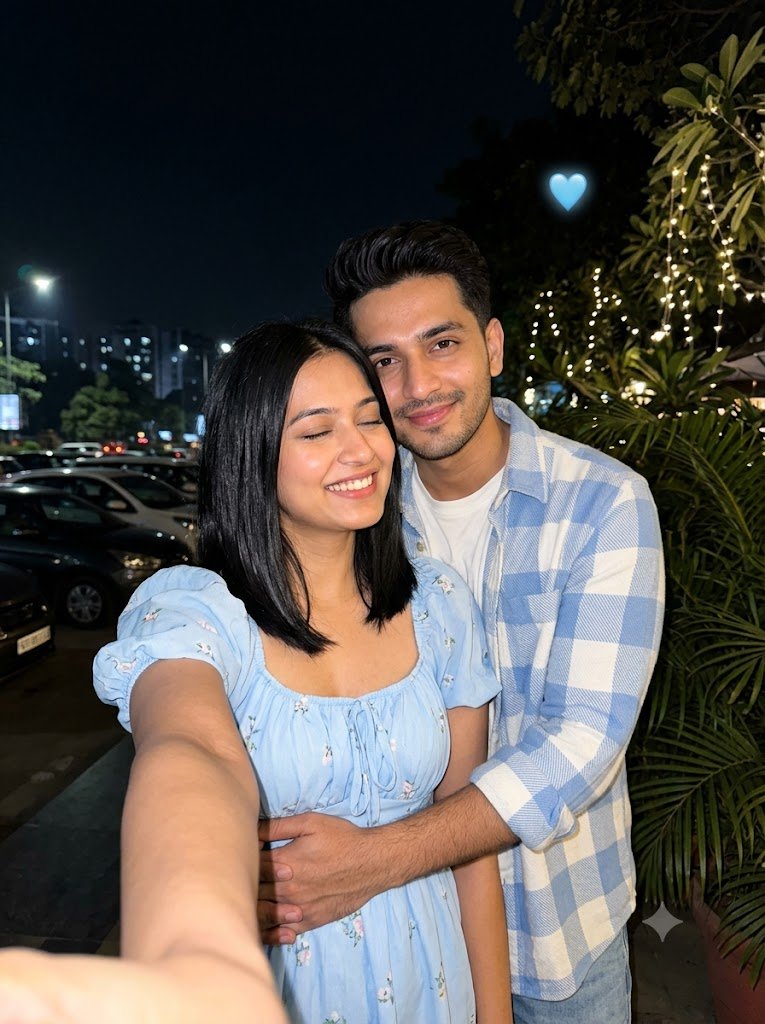
This prompt is designed for a romantic nighttime couple selfie with the appearance of a modern smartphone photograph.
The woman is taking the selfie while the man stands behind her with his arms around her waist. Their expressions are described as natural and happy, giving the image a candid feeling instead of an overly posed appearance.
The prompt also includes details about their outfits, hairstyles, surroundings, lighting, camera style, and composition. Together, these instructions help establish the atmosphere of a genuine nighttime photograph.
Prompt
A candid, ultra-photorealistic nighttime selfie of a young couple sharing a warm romantic moment outdoors. The woman is holding the smartphone at arm's length, taking the selfie while smiling brightly with her eyes closed. She wears a soft pastel sky-blue puff-sleeve dress with a gathered neckline, and her straight shoulder-length black hair frames her face naturally. The man stands closely behind her, wrapping both arms gently around her waist in an affectionate embrace while smiling directly at the camera. He wears a light blue and white checkered overshirt over a casual tee, with neatly styled dark hair and light stubble. Their expressions feel genuine, joyful, and deeply connected.

The scene is illuminated by a bright smartphone flash, creating crisp facial details while the background remains dark with subtle city lights, parked cars, lush tropical plants, and a few decorative fairy lights. A small glowing blue heart emoji floats above the couple against the black night sky, adding a cute aesthetic touch.

Natural skin texture, realistic clothing folds, authentic shadows, balanced exposure, shallow depth of field, vibrant yet true-to-life colors, cozy romantic atmosphere, candid social media aesthetic, cinematic composition, iPhone-style photography, ultra-detailed, HDR, 8K, lifelike realism, shot on iPhone 17 Pro Max, 26mm lens, f/1.8, high dynamic range, professional smartphone photography, vertical 3:4 composition.
How This Prompt Works
The prompt begins by establishing the main scene and relationship between the two subjects. It then describes their individual appearance, clothing, expressions, and body position.
The nighttime environment is controlled separately through details such as smartphone flash, city lights, plants, fairy lights, and a dark background. These elements help create contrast between the brightly illuminated couple and the surrounding environment.
The final section focuses on photography characteristics. Instructions about natural skin texture, shallow depth of field, HDR, lens settings, and smartphone photography are intended to give the generated image a realistic photographic appearance.
How to Customize It
You do not need to rewrite the entire prompt to create a different version. Small changes can produce a noticeably different result.
For example, you can change the dress color, replace the outdoor location with a restaurant or rooftop, remove the heart element, or change the lighting from smartphone flash to warm ambient lighting.
If you want a more natural photograph, you can also reduce decorative elements and keep the background simple.
2. Black-and-White Couple Portrait Prompt
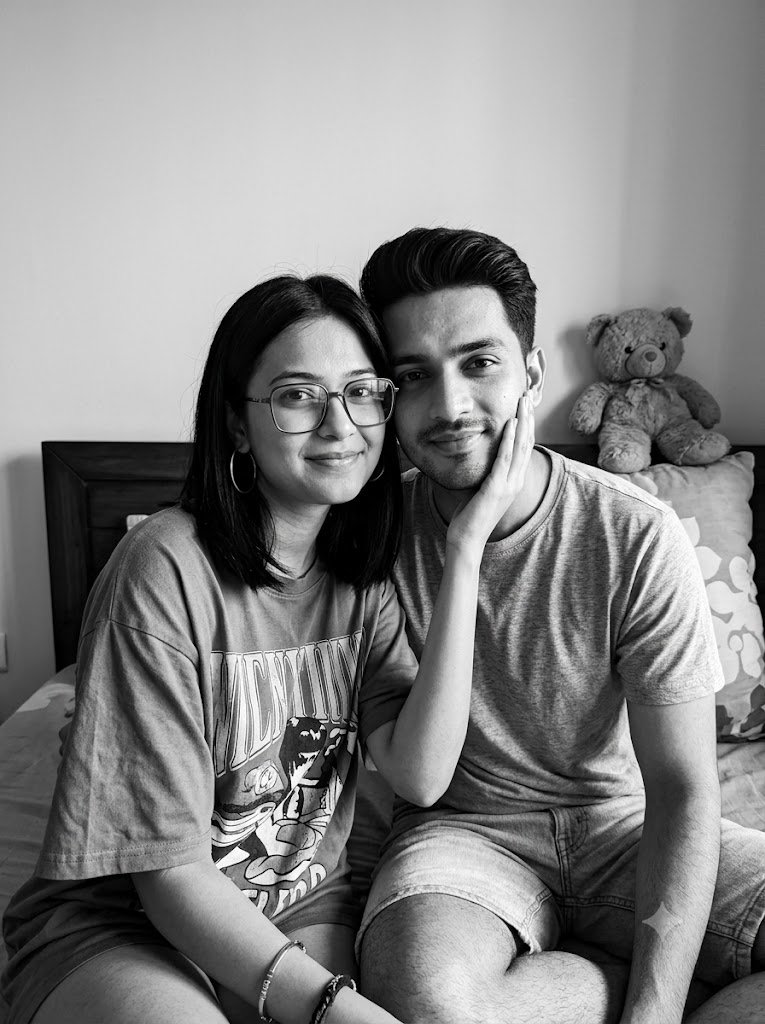
The second prompt uses a completely different visual direction. Instead of a colorful outdoor selfie, it creates a high-contrast black-and-white portrait in a relaxed indoor setting.
This version is particularly useful when you have reference photos of both people and want the generated image to retain their recognizable characteristics while placing them in a new scene.
The simple bedroom environment keeps attention on the couple. Details such as the dark headboard, light wall, teddy bear or cushion, and casual clothing add a comfortable everyday feeling.
Prompt
Use the uploaded reference photos of both people. Create an ultra-realistic black-and-white close-up portrait of the same two people sitting together indoors in a cozy bedroom setting.

Preserve both faces exactly from the reference photos — same facial structure, eyes, nose, lips, hairstyle, skin texture and natural features. No face swap, no identity mixing, no beautification or facial reshaping.

Pose: sitting close together like best friends, the girl gently resting her hand on the boy’s cheek while both look toward the camera with natural relaxed expressions. Comfortable, candid body language.

Girl wearing glasses, hoop earrings, bracelets and an oversized graphic T-shirt. Boy wearing a casual T-shirt and light shorts. Background with a simple light wall, dark headboard and a soft teddy bear/cushion.

High-contrast black-and-white photography, realistic skin texture, detailed hair strands, natural shadows, authentic smartphone-camera look, vertical portrait composition, ultra-detailed 8K quality, photorealistic.
How This Prompt Works
The most important part of this prompt is the reference-image instruction at the beginning. It tells the image generator that the uploaded photos should be used as the visual reference for both people.
The next section describes the characteristics that should remain consistent, including facial structure, eyes, nose, lips, hairstyle, and natural skin texture.
After that, the prompt controls the new composition. It specifies how the two people should sit, where they should look, what they should wear, and what should appear in the background.
Finally, the photography instructions change the image into a high-contrast monochrome portrait with realistic textures and natural shadows.
How to Use Reference Photos
For the best possible result, use clear reference images where both faces are easy to see. Avoid photographs with heavy filters, extreme angles, sunglasses, or objects covering important facial features.
Upload the required reference images first if your image generator supports them, then paste the complete prompt.
If the first result changes some facial details, try generating another variation rather than immediately rewriting the entire prompt. Different image models can interpret identity-preservation instructions differently.
Tips for Getting Better Couple Images
1. Choose Clear Reference Photos
Reference images are particularly important when you want recognizable people. A well-lit photograph with a clearly visible face provides more useful information to the image generator.
2. Describe the Pose Clearly
Instead of using a general instruction such as “make a romantic couple photo,” describe what each person is doing.
For example, specify who is holding the phone, where the other person is standing, how they are positioned, and where they are looking.
3. Control the Environment
The background can completely change the feeling of an image. You can replace the city setting with a café, rooftop, bedroom, beach, garden, or street while keeping the main structure of the prompt.
4. Pay Attention to Lighting
Lighting is one of the most useful ways to change the mood. Smartphone flash, warm indoor lighting, soft daylight, golden-hour light, and high-contrast monochrome lighting can e

Pankaj is the founder of iLikePrompt, where he explores and shares useful AI prompts, creative ideas, and practical resources. His goal is to make AI easier to understand and help people create better results with the right prompts.